Get Every Dish on Your Menu Found on Google
Guests search.
You show up.
Every dish with a description gets its own page on Google and Bing.
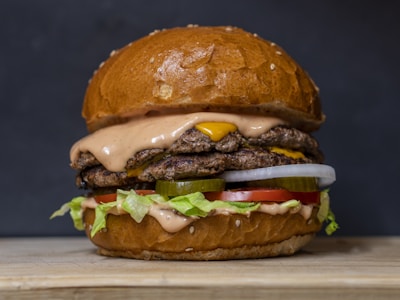
Two smashed beef patties, aged cheddar, pickles and house sauce in a toasted brioche bun.
Watch how people choose where to eat. They rarely type a restaurant's name. They type what they are hungry for: "best burger near me", "khachapuri Tbilisi", "vegan brunch Lisbon". Then they tap the first result that shows the dish, the price and a photo, and that is often where they end up eating.
Most restaurants never appear in those searches, because their menu lives in a PDF, a photo on Instagram or a single web page that lists fifty dishes at once. Search engines cannot point a guest at one dish inside any of those. NEMENU can, because every dish on your menu can have a page of its own.
What NEMENU does for you automatically
When you publish your menu, NEMENU does the technical search work in the background. There is nothing to install and no settings to learn.
- Every dish with a description gets its own page, at yourname.nemenu.app/menu/dish-name. It shows the dish's name, price, photo, description, sizes, dietary tags and allergens.
- Each page carries structured data, the labels search engines read to understand that this is a dish, what it costs and whether it is vegetarian, vegan or gluten-free.
- Your menu gets a sitemap that lists every dish page, so search engines can find all of them, not just your front page.
- Every time you publish, NEMENU tells search engines what changed. Bing and Yandex hear about it straight away; Google picks the changes up from your sitemap.
- It works in your menu's language, whatever the alphabet. A dish called ხაჭაპური, Борщ or Σουβλάκι gets a page just like a Margherita does.
Step by step
Step 1: Add your address and city
Open Settings, then the Business tab, and fill in your address and city. Your location goes into the title of your menu and of every dish page, which is what lets you show up for searches that include a place name or "near me".
Step 2: Write a short description for every dish
This is the step that matters most. A dish with just a name and a price does not get a page of its own. Search engines treat near-empty pages as low quality, and a menu full of them can drag the whole site down, so NEMENU keeps those dishes off search until they have something to say. Open any item in Menu, write a sentence or two under Description, and save.
Step 3: Add a photo
A photo is not required for a dish page, but it is what makes a result worth tapping. Upload your own picture from the item, or pick one from the free stock photo library.
Step 4: Publish
Hit Publish. Your dish pages go live, your sitemap updates, and search engines are told about the change. Do the same whenever you add a dish or rewrite a description.
What search engines see on each dish page
| On the page | Where it comes from |
|---|---|
| Page title: dish, restaurant and city | The item name, your business name and the address in Settings |
| Short summary under the title | The first 155 characters of the description |
| Price | The item's price, in your menu currency |
| Photo | The item's photo |
| Vegetarian, vegan, gluten-free and similar labels | The item's dietary tags |
| Link back to the full menu | Added automatically |
How long it takes
Search engines work on their own schedule. New dish pages usually start appearing within a few days to a few weeks, and nobody, including us, can promise a particular position in the results. What you can control is giving them good pages to show: a clear name, an honest description, a real photo and a correct address.
If you want to watch Google's side in detail, you can add your menu address to Google Search Console, Google's free tool for site owners. It is optional; NEMENU already handles the sitemap and structured data for you.
See how many guests find you through search
Open Analytics in your admin and look at the From search card. It shows how many visits came from Google, Bing and other search engines, what share of your menu views that is, and which dish pages guests landed on. Google does not pass on the words people typed, so you see which dish brought them in, not the exact search. Visits from Google Maps count under Google too.
Go further with Google Business Profile
Dish pages bring guests in from ordinary searches. Your Google Business Profile is what they see on Maps and in the panel beside the results. Add your menu link and a menu image there too; our guide at /blog/google-business-profile-menu-image shows how.
Free vs Pro
Dish pages, structured data, the sitemap and the publish notifications are included on every plan, Free included. The From search card in Analytics and AI-written descriptions are part of Pro. Pro is $8.99 a month and free for the first 60 days. Full details are at /pricing.
Your guests are already searching for dishes like yours. Give every dish a description, hit Publish, and let them find you.