One QR in the Lobby, One per Table: A Hotel Menu Directory with Named QR Codes
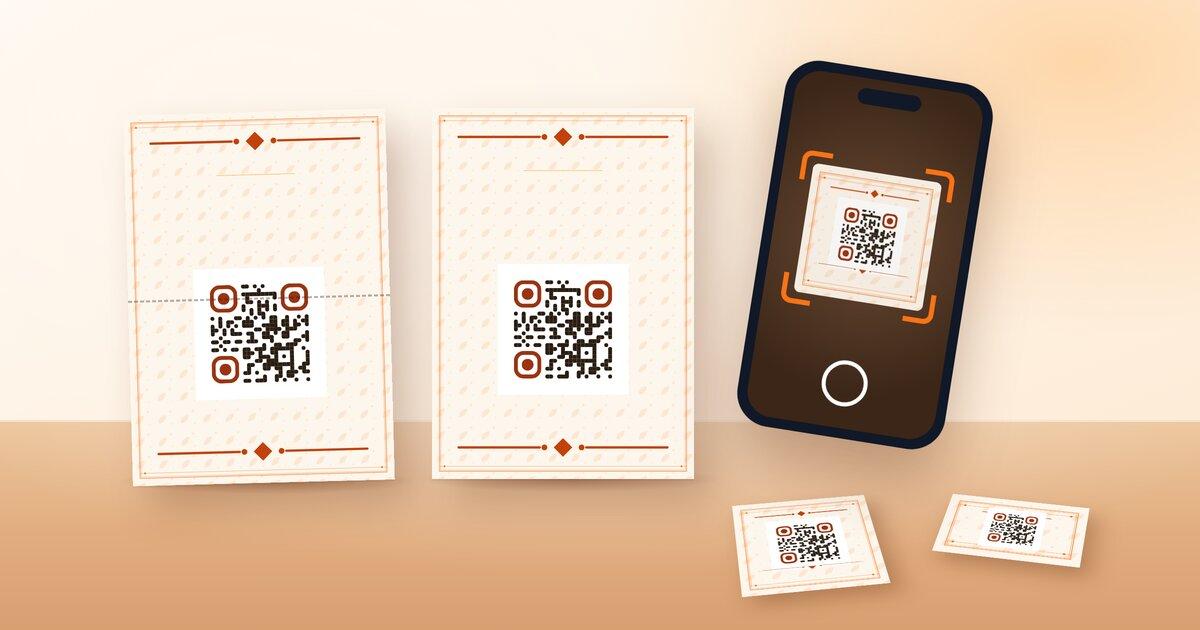
Customize colors, shapes, and a center logo — the QR below is live and scannable
Scan to view menu
Every change updates the preview instantly — export as PNG or SVG with one click
A hotel does not have one place where guests meet the menu. There is the lobby, where a guest has just checked in and wants to know what is open. There is the pool bar, where the guest is already sitting and only wants that menu. And there are two hundred rooms, where a guest opens the menu from the desk and, ideally, reception can tell which room is scanning. A hotel QR code menu directory has to cover all three without a guest ever landing on the wrong list. On NEMENU that comes down to three kinds of code: the main code that opens the directory, a system code per venue, and named QR codes for every room, table and outlet. This guide sets them up in that order and then covers the styling step, which the demo below previews: colours, a rounded or square dot style and a small centre logo, applied to any of the codes you generate.
What the Main Code Opens
The main code points at your root address, for example yourhotel.nemenu.app. On a single-venue account that is the menu. On a multi-venue account the root does not show a menu at all; it shows a venue directory. Each venue appears as a card with the cover image and name you set in Settings, Locations, plus its opening status, under a prompt asking the guest to choose where they would like to start. The Locations page (/admin/settings/locations) can open a preview of exactly this picker so you can check the order and the covers before anything is printed.
This is the code for places where the guest has not chosen a venue yet: the lobby, the elevator, the room key sleeve, the welcome letter, the hotel website. It is the wrong code for a table, because a guest who has sat down at the lounge bar should not be asked which outlet they want.
Venue Codes
Every venue has its own address under the root, for example yourhotel.nemenu.app/lounge-bar, and NEMENU creates a system QR code for each venue automatically. Scan it and the guest lands directly on that venue's menu with that venue's template, prices, hours and WhatsApp number. There is no venue switcher inside the menu, so a guest at the lounge stays on the lounge menu; if they want the rest of the property they use the directory from the lobby code or from their room.
For a small property, the main code plus one system code per venue is a complete setup. Print the venue code on that venue's tables and the main code everywhere else, and you are done. The limit is that a system code tells you nothing about where it was scanned: every table at the lounge bar looks the same in your analytics, and if you decide next season that the terrace tables should open the pool bar menu instead, you reprint.
Named QR Codes
Named QR codes live under QR Codes (/admin/qr-codes) and are part of the Enterprise plan. Each one has a label you choose and a target you choose. The label is for you and for the guest: Room 412, Lounge Table 6, Pool Bar Counter, Spa Reception. The target is either Main menu, which opens the directory, or a specific venue. Create one for every room, every table and every outlet entrance, and the codes become a map of the property instead of six identical squares.
The part that saves money is that the printed code never changes. The image encodes the code's identifier, not its destination, so you can rename a code or retarget it to a different venue at any time and every plate already on a table keeps working. Turn the terrace into an extension of the pool bar for the summer by selecting the terrace codes and retargeting them; switch them back in October the same way. Nothing is reprinted. Deleting a code is the one action that breaks the print, and the admin panel warns you before it does. Each code also shows its scans over the last 30 days, so Room 412 scanning at midnight three nights running is a room service signal, and a table that never scans is a plate that has probably fallen off.
The Label Your Guest Sees
When a guest scans a named code, the address they open carries a short ?c= parameter with that code's identifier. The menu reads it and shows a small banner at the top with the code's label, so the guest sees Room 412 or Lounge Table 6 above the menu. It is quiet reassurance that they scanned the right thing, and it is a prompt for staff: a guest who shows a phone with Room 412 on it has already told you where to send the order.
The label survives the directory. If Room 412's code targets Main menu, the guest sees the banner on the directory, picks the pool bar, and the Room 412 banner is still there on the pool bar menu. The chosen venue inherits the code, so the trail from room to outlet is unbroken whichever venue the guest chooses. That is the reason to give rooms named codes pointing at the directory rather than the plain main code: same guest experience, with the room number attached.
Styling the Codes
Black squares on white work, but a code on a walnut lounge bar or a sun-bleached pool deck deserves better. QR code styling is a Pro feature and applies to any code you download: foreground and background colours (keep the contrast high, dark on light scans most reliably), a corner and dot style from sharp squares to rounded to circular dots, and a small logo in the centre. Each venue keeps its own QR style, so the spa can use its calm palette and the night club its high-contrast one while every code still carries the hotel mark. Generate a test code, print it on the actual material at the actual size and scan it from a guest phone at arm's length before committing to a run of two hundred plates.
Plates, Posters or a QR Corner on the Printed Menu
The code has to live on something physical, and there are three sensible formats. For tables and the bar, Settings, Print Designs (/admin/settings/print-designs) produces QR table plates: a compact card with the code, your logo and a one-line instruction, sized to stand in a holder. For the lobby, the elevator and the spa reception, the same page produces posters where the code is large enough to scan from a metre away.
The third format is the printed menu itself. If an outlet already hands out a paper menu, add a QR corner to it so the digital version is one scan away for allergens, translations and photos. That is built in Settings, Studio rather than Print Designs, and the walkthrough is in Print Your Digital Menu (/blog/print-your-digital-menu-pro). Whichever format you pick, use the venue's named code on it, not the main code, so the scan reports where it came from.
Rollout Plan
Here is the full plan for a property with several outlets. The format column assumes you are printing in house from Print Designs; a print shop can work from the same downloads.
| Location | Code type | Target | Format |
|---|---|---|---|
| Lobby and elevators | Main code | Directory | Poster |
| Room key sleeve and welcome letter | Main code | Directory | Small print |
| Each guest room | Named code, label Room NNN | Directory | Table plate on the desk |
| Restaurant tables | Named code, label Restaurant Table N | The Restaurant | Table plate |
| Lounge bar tables and counter | Named code, label Lounge Table N | Lounge Bar | Table plate |
| Pool bar counter and loungers | Named code, label Pool Bar Counter, Lounger Row A | Pool Bar | Table plate, laminated |
| Spa reception | Named code, label Spa Reception | Spa & Wellness | Poster |
| Night club entrance and booths | Named code, label Club Booth N | Night Club | Table plate |
| Printed paper menus per outlet | That venue's named code | That venue | QR corner on the printed menu |
Create the codes in the admin panel first, download them in one batch, then print. If the plan changes after printing, change the target in the admin panel, not the plates.
Where This Fits
The codes are the last mile of a multi-venue setup. They assume the venues already exist and the menus are already placed and priced, which is covered in Six F&B Outlets, One Property: A Digital Menu Playbook for Hotels (/blog/hotel-six-fb-outlets-digital-menu-playbook). If you are weighing up whether NEMENU fits a property with more than one outlet, the multi-venue hotels page (/solutions/multi-venue-hotels) covers plans, the directory and named codes in one place.